ImpactECS In-Depth: Comparing Models and Migrating Items Between Models
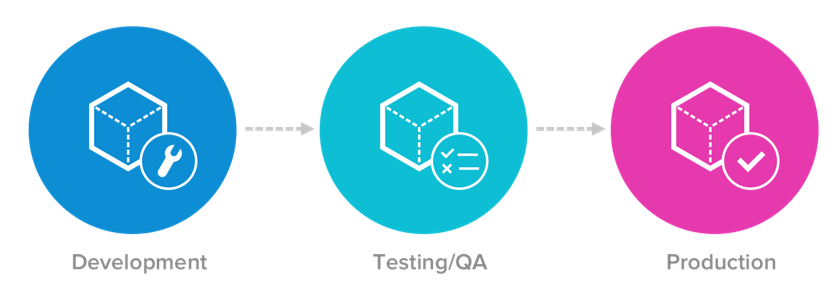
The ImpactECS System Compare functionality was designed to help model administrators compare items from different models and transfer items between models. In formal IT environments, ImpactECS model development begins by building a development model. Once complete, changes are migrated to a testing environment for quality assurance activities. The tested and validated changes are ultimately to moved to the production ImpactECS model and are available to all ImpactECS users.
The System Compare utility provides the following core functionality for model administrators:
- See what’s changed: Quickly see a complete list of items that have been modified.
- Compare differences: See side-by-side code comparisons for individual ImpactECS items.
- Improved administration: Model admins can easily choose which changes to deploy.
Watch the video for an overview of how to use the System Compare feature to compare and migrate model changes.
Have questions about the System Compare functionality? Let us know at support@3csoftware.com and we’re happy to help!